Deep Dives · AgentQL|Data|extraction
AgentQL Tutorial: AI-Powered Web Data Extraction
A hands-on AgentQL tutorial: how its query language and architecture extract web data with AI, plus setup and testing in the AgentQL Playground.

AgentQL is a powerful and intuitive query language designed to simplify web data extraction and automation. Unlike traditional methods like XPath and CSS selectors, which are prone to breaking and complex to maintain, AgentQL allows developers to locate web elements using natural language-like queries. This robust tool adapts to website structure changes, offers context-aware element selection, and reduces maintenance efforts. AgentQL is ideal for a variety of use cases, including data scraping, web automation, and end-to-end testing, making it easier to extract structured data, automate workflows, and build reliable test suites.
Table of Contents
- Introducing AgentQL
- Understanding AgentQL's Architecture
- Hands-on Implementation
- Testing on the AgentQL's Playground
Let's start by understanding what AgentQL is.
Introducing AgentQL
AgentQL is an AI-powered query language that transforms how developers interact with web elements and extract data. Unlike traditional selectors, it uses natural language queries to precisely locate web elements, making web automation more intuitive and resilient to site updates.The system consists of three core components: the AgentQL Query Language for human-readable element location, the Python SDK for seamless integration with automation frameworks like Playwright, and the AgentQL Debugger Chrome Extension for real-time query testing.
Developers can interact with web content through element queries (query_elements() and get_by_prompt()) for page manipulation, and data queries (query_data()) for structured information extraction. This versatile toolset simplifies common web automation tasks like testing, scraping, and data collection while providing a more maintainable and robust solution compared to conventional methods.
Understanding AgentQL's Architecture
AgentQL's architecture is built on a sophisticated pipeline that transforms natural language queries into precise web element selection and data extraction. The system begins by processing two primary input sources: the page's HTML structure and its accessibility tree, providing a comprehensive understanding of the web content. Upon receiving a query, AgentQL first simplifies the input by removing unnecessary noise and metadata, then dynamically selects between two specialized pipelines: one optimized for data scraping with high accuracy, and another for web automation focusing on speed and reliability.
At its core, AgentQL leverages various Large Language Models (including GPT-4, Llama, and Gemini) alongside its proprietary model, choosing the most appropriate one based on task complexity. The results undergo rigorous grounding and validation processes to ensure accuracy and alignment with the original context.
Hands-on Implementation
Step 1: Setup Your Environment
Create a new file called search_automation.py:
Step 2: Define Your Search and Data Queries
Define queries to locate the search box, fetch product details, and add the "Qwilfish" product to the cart:
Step 3: Extract Product Data
Create a function to navigate to the site, perform the search, and extract data on products listed:
Step 4: Interact with Elements
Define a function to interact with the "Qwilfish" product and add it to the cart:
Step 5: Create the Main Function
Combine the functions to launch the browser, execute the search, retrieve product data, and interact with elements:
Step 6: Run Your Script
Run the complete script with the command below:
Output
Testing on AgentQL's Playground
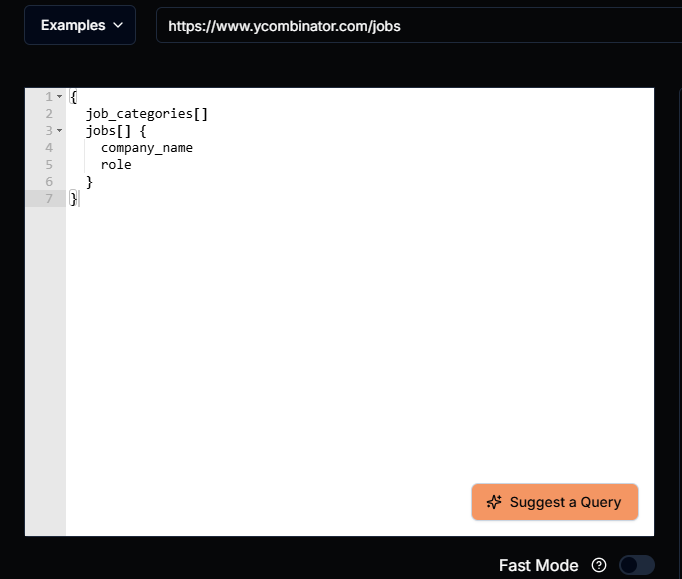
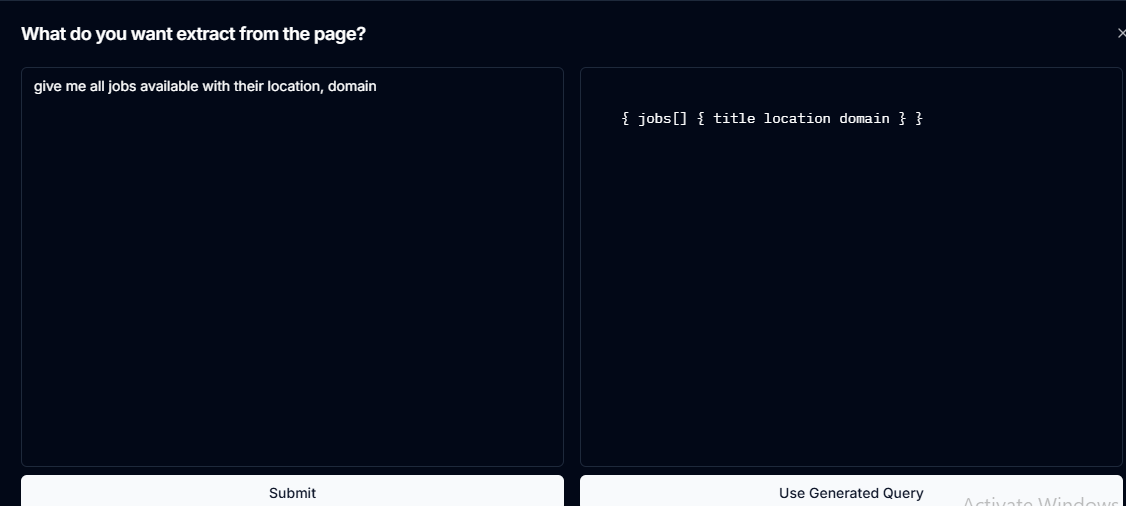
AgentQL Playground offers a user-friendly interface for quick and effective web scraping. Start by visiting the Playground, entering the URL of the website you want to scrape, and clicking on "Suggest a Query." Simply use natural language to describe what you need—for example, "Find all product prices on the page"—and AgentQL will generate an appropriate query.
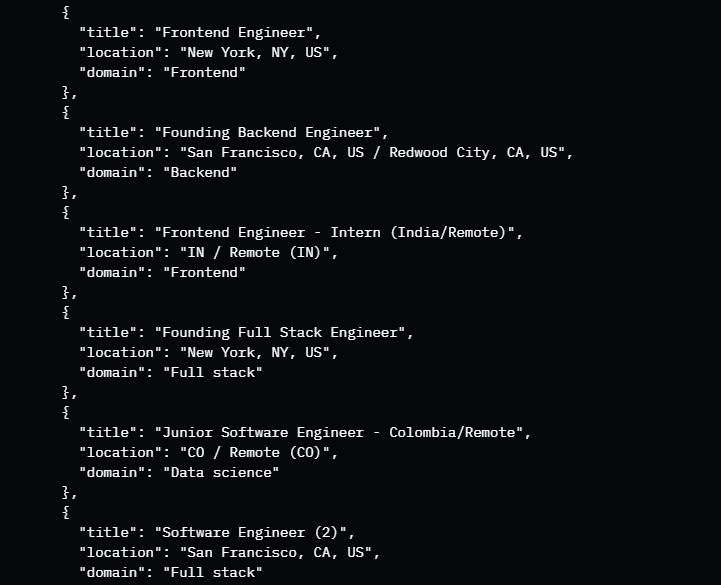
This interactive approach allows you to experiment with different queries, view real-time results, and refine your queries before implementing them, helping you understand how AgentQL interprets and converts requests into effective scraping queries.
Output
Final Words
AgentQL offers an intuitive alternative to traditional selector-based approaches. By harnessing natural language processing, it bridges the gap between human intent and web interaction, making automation tasks simpler and more reliable. Whether you're building tests, scrapers, or automation scripts, AgentQL's intelligent query system, SDK, and debugging tools streamline your development process. As web applications grow increasingly complex, AgentQL's adaptive approach and AI-powered understanding ensure your automation remains resilient while maintaining clean, maintainable code.
References
Go further: design agent systems
Web extraction is one capability an agent can call on. Designing, orchestrating and governing agent systems is what the Certified Agentic AI System Architect (CAASA) credential examines.